
Visible evidence of sources
See source evidence in Insights and beside personalised email passages.
Visible evidence of sources
PitchKraft makes the research behind your AI-personalised emails visible, so you can see why a prospect-specific detail appears and check the evidence before sending. Each contact’s generated email has two complementary views of that evidence: the Insights area, which brings the research together, and source tooltips, which connect a personalised passage to the information used to write it. You can open the original web pages where source URLs are available. This means your team can review relevance and factual accuracy without retracing every research step.
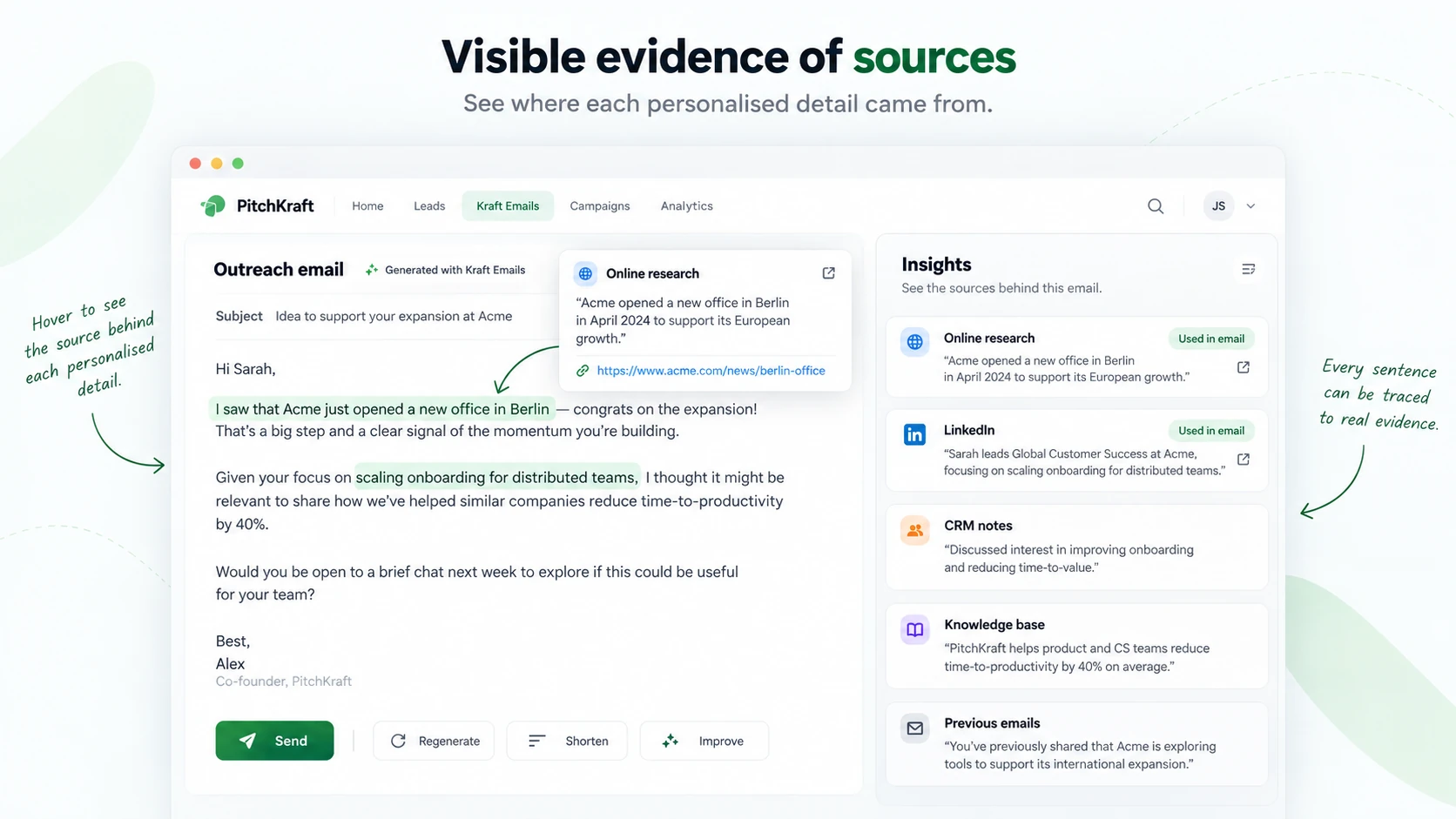
Check the evidence within an email
Hover over the personalised wording in a generated email in Kraft Emails. PitchKraft displays a source tooltip next to the relevant passage so you can see the evidence used for that specific wording rather than just a general list of references. Where the information came from an online source, the tooltip includes the actual URL, which you can click to open the original page. Different passages in the same email can be supported by different sources, and a sentence may combine insights from more than one source. This makes it quick to spot an unsupported claim, an outdated fact or a detail that needs editing before the email is sent.
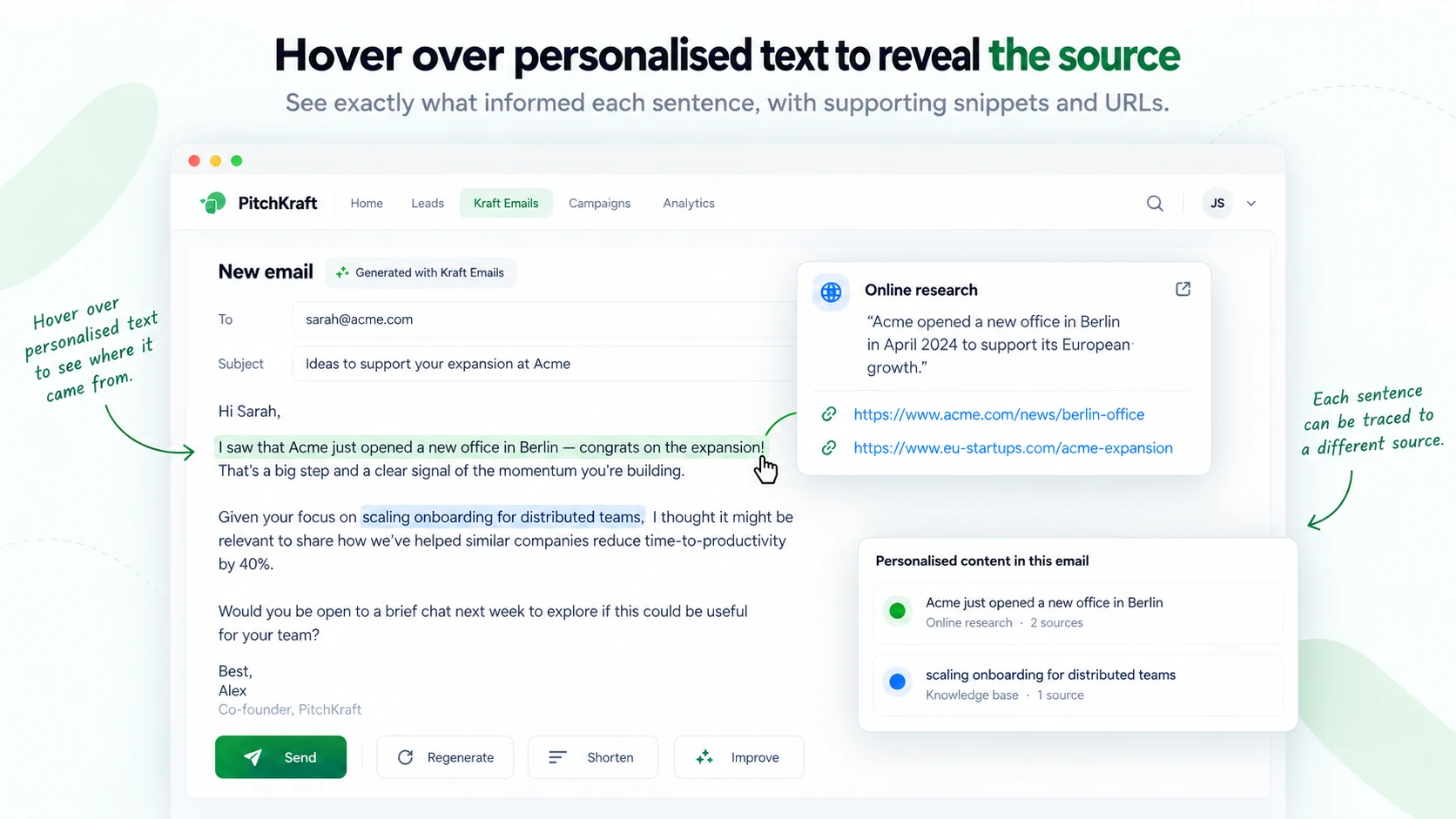
Review the personalisation insights
The Insights area provides a consolidated view of the information behind the generated email. It lets you examine what PitchKraft discovered about the prospect and their organisation, including the relevant facts, context and supporting source references. Where a research item has a website URL, you can open the original source directly. Because these insights are also stored at contact level, the research is available for later review and can inform subsequent communications, rather than disappearing once an email has been generated. The Insights view is ideal for reviewing all the research together; the tooltips let you check how that research was used in a particular part of the email.
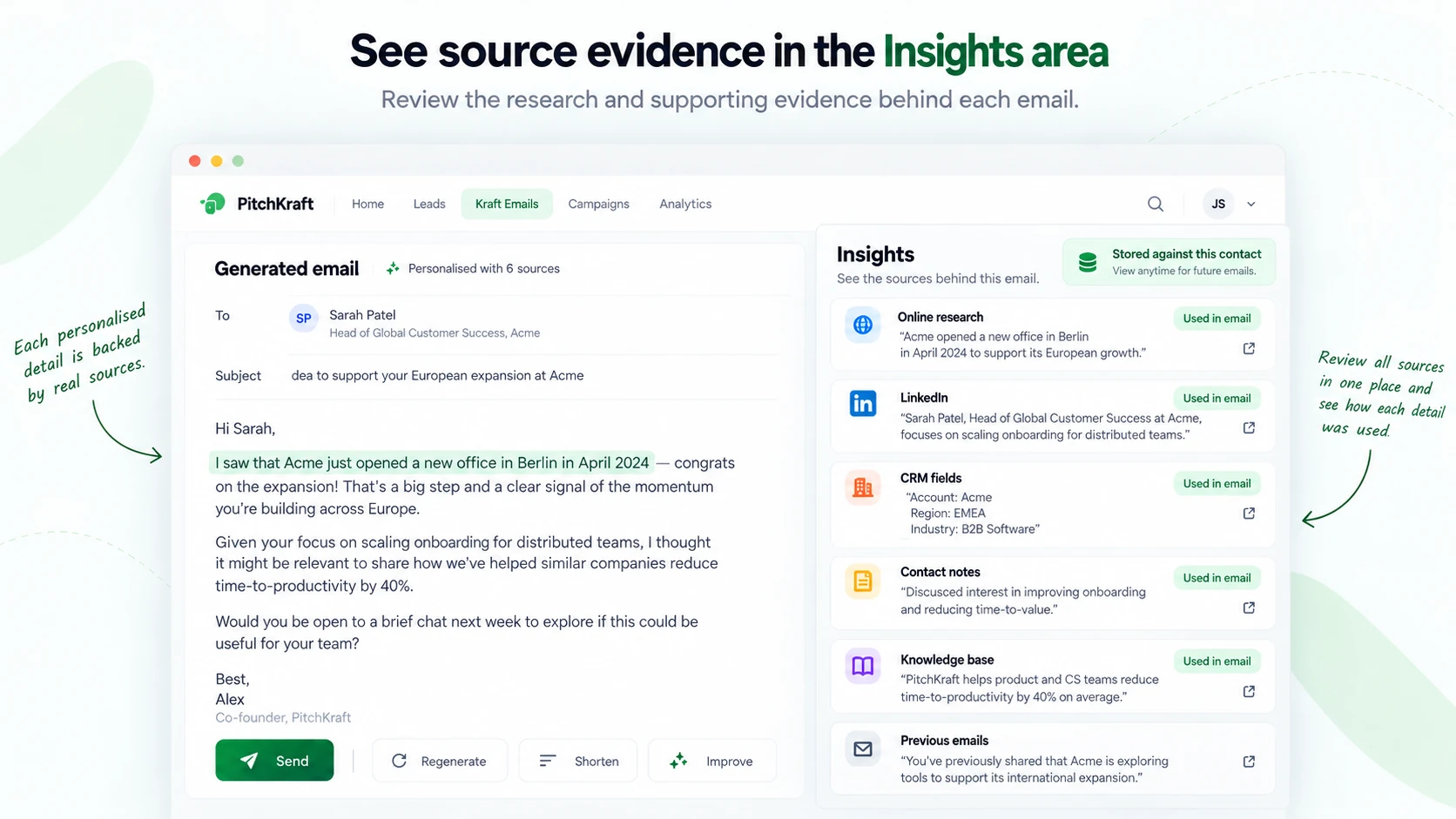
What sources may be used
PitchKraft can bring together online research (including public articles, company websites and announcements), LinkedIn information about the person and their work, CRM fields (both standard and custom), contact notes, previous email correspondence, and your own company knowledge base (such as services, case studies, testimonials and relevant materials). For instance, the recipient’s LinkedIn role may help identify the relevant event session in your knowledge base; notes or prior correspondence may provide further context; public research may establish the prospect’s current priorities. PitchKraft can then use those elements together to write a message that is specific to the individual. Not every source has a public URL: CRM fields, notes and internal knowledge-base entries are internal material, whereas online research can provide direct links to the original pages.
Not all sources have a public URL. For example, your CRM fields and internal notes are information stored in PitchKraft rather than external webpages.
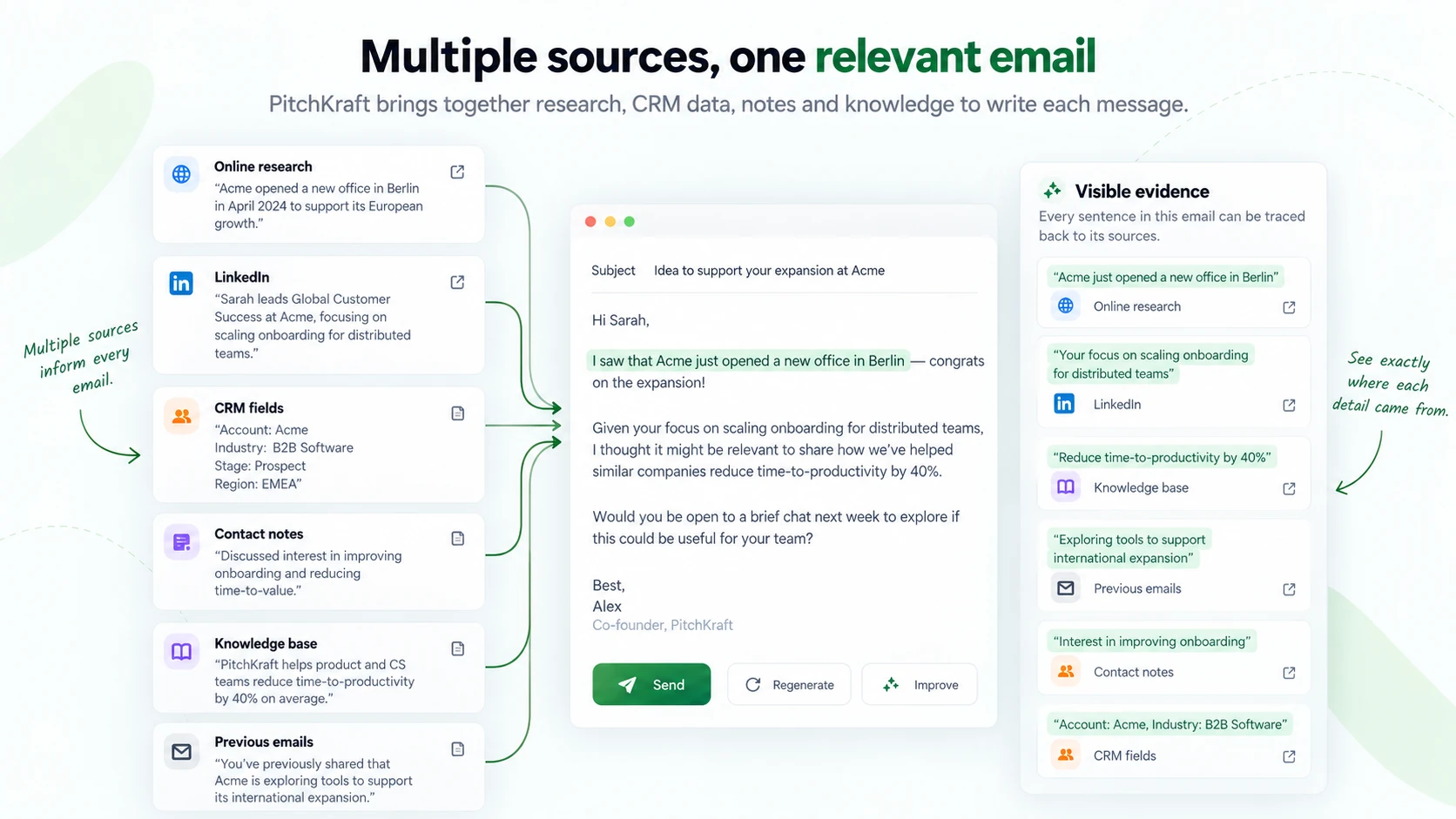
Example: a personalised recommendation with visible evidence
Imagine you are inviting a senior technology leader to an industry event. PitchKraft identifies the person’s responsibilities from LinkedIn, finds a relevant announcement about their organisation online, and matches those priorities to a session described in your company knowledge base. The generated email might recommend that session and explain why it is useful for this particular recipient. In the Insights area, you can review the role information, announcement and session details together. When you hover over the recommendation in the email, the tooltip shows which source details informed the wording, including clickable original URLs for the web research.
Why visible sources matter
Check accuracy: Review important factual claims against their sources before sending. Understand relevance: See why the AI connected a prospect’s interests to your particular offer. Review faster: Inspect supporting facts and URLs directly instead of repeating the research manually. Reuse context: Return to insights stored on the contact record when planning future outreach.
A quick review before sending
Open the email in Kraft Emails, review its Insights, hover over important personalised sentences and open any external source links you want to verify. Check that the information is current, relevant and accurately represented. If anything needs changing, edit or regenerate the email before sending it. Visible evidence supports human review; it is not a guarantee that every interpretation or generated statement is correct.
To learn more about the research inputs themselves, visit What data can AI use to personalise emails?
Related Kraft Emails guides: Email generation | Navigation and download | Kraft tips
