Turn LinkedIn into a smarter prospecting workspace with
PitchKraft
Research contacts, keep your prospect data up to date, create hyper-personalised LinkedIn messages and move contacts straight into PitchKraft, without leaving LinkedIn.
The PitchKraft browser extension connects the prospect research you already do on LinkedIn with your PitchKraft contact lists, AI research and messaging tools.
When you open a LinkedIn profile, PitchKraft can immediately check whether that person already exists in your PitchKraft account. From there, you can add new contacts, identify outdated information, update existing records, create detailed AI professional summaries and generate personalised LinkedIn messages using your own PitchKraft Blueprints.
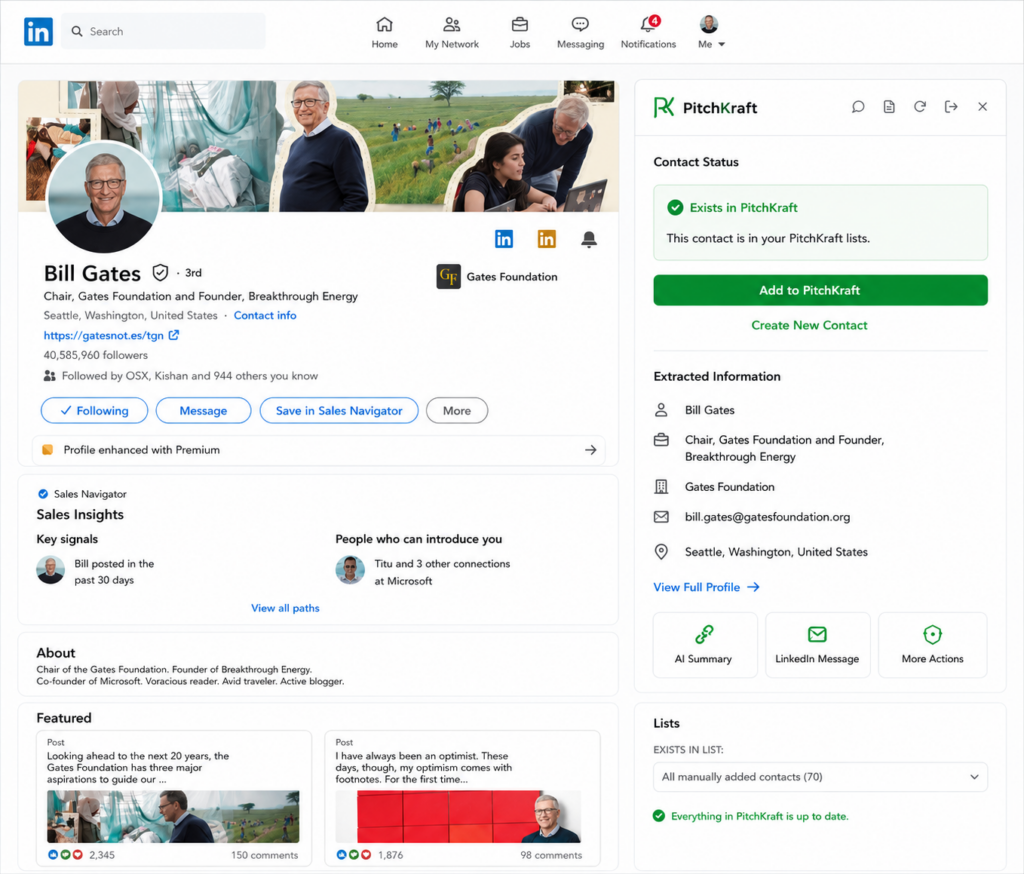
Your LinkedIn research, connected directly to PitchKraft
The PitchKraft extension appears alongside the LinkedIn profile you are viewing. Instead of copying names, job titles, companies, LinkedIn URLs and other information between LinkedIn and your prospecting system, PitchKraft brings the two together.
Open a profile and PitchKraft checks it against the contacts already stored in your lists. From there, what happens depends on whether the person is new or already exists in PitchKraft.
If the LinkedIn contact is not already in one of your PitchKraft lists, the extension turns that profile into a usable prospect record. PitchKraft captures the relevant contact information and lets you save the person, and all details, directly into the PitchKraft list you choose.
You can then use that contact throughout PitchKraft for personalised email campaigns, prospect research and LinkedIn messaging. Great for sales and marketing outreach of course, and another popular use case is HR candidate outreach and management.
B2B contact data goes out of date quickly.
Someone you added six months ago may now have:
When PitchKraft recognises that the LinkedIn contact already exists in one of your lists, it compares the information currently visible on LinkedIn with the information previously stored in PitchKraft. You can see whether your existing data is still current and decide whether it should be updated.
If the person has changed employer, for example, their previous work email may no longer be appropriate. PitchKraft generates an updated email address and saves the new information back to the contact in your PitchKraft list.
Your prospect database becomes something you can maintain while carrying out your normal LinkedIn research. Rather than discovering an outdated record only when an email bounces or a campaign reaches the wrong person, you can identify changes when you next visit that person’s LinkedIn profile.
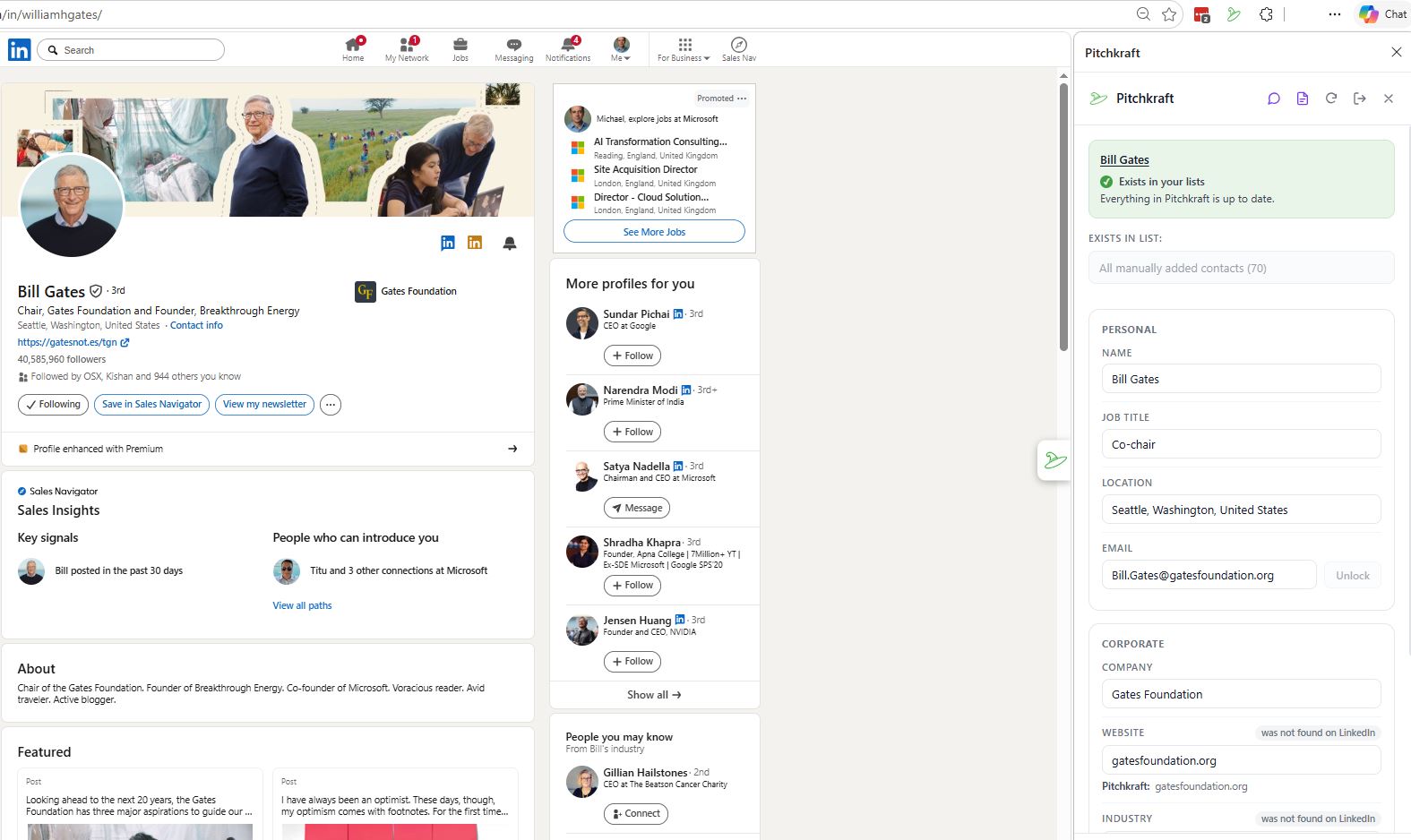
Create a complete AI dossier of your contacts
A LinkedIn profile contains far more useful information than a name and job title. With PitchKraft, you can create an AI-generated professional summary of the contact and save it directly against their PitchKraft record.
The information is organised into structured sections:
This gives PitchKraft even more context when creating personalised email outreach. Within PitchKraft, when creating emails, you can now set the blueprint to use LinkedIn information and your communications with the contact over LinkedIn as well as the existing options to use online research, email history between you and the contact, any notes you have added into the contact within the Pitchkraft CRM and your corporate knowledge base. Imagine an SDR trying to do that for every email outreach!
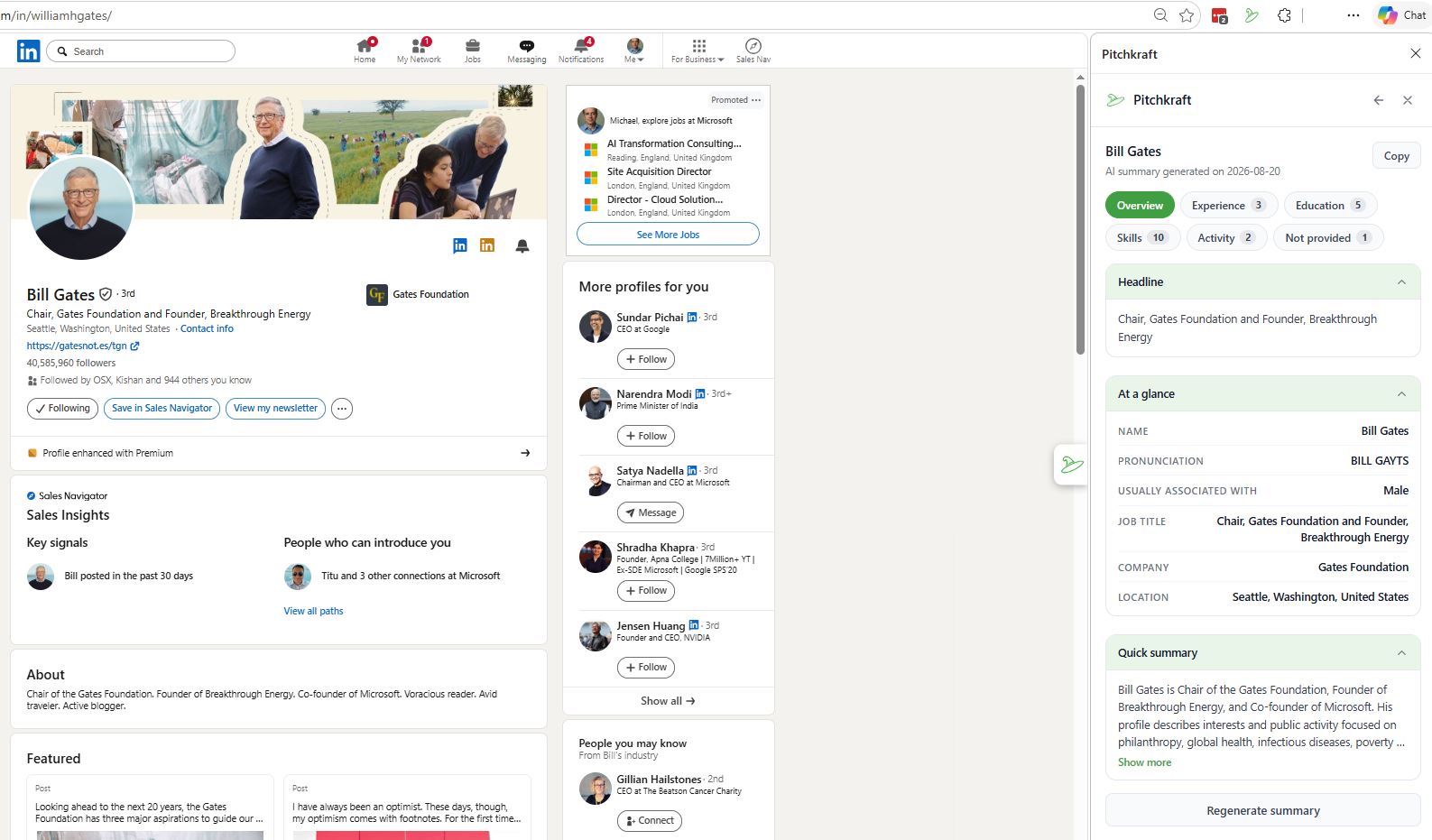
PitchKraft Blueprints are not limited to email. You can create Blueprints specifically for different types of LinkedIn communication and use them from the browser extension while viewing the prospect’s profile.
Choose the appropriate Blueprint, select the type of message you want and let PitchKraft create the personalised content.
LinkedIn connection requests
Create concise, relevant connection messages personalised to the person you are viewing.
Instead of sending the same generic invitation repeatedly, PitchKraft can use information about the contact, a recent email sent to the contact (“just sent you an email about XYZ”), or any information from the contact history, to give the recipient a genuine reason to connect. A second hyper-personalized touchpoint shows you have seriously researched this prospect.
Messages after a connection is accepted
Create a different Blueprint for the next stage of the conversation. PitchKraft can generate a longer follow-up based on the recipient’s professional information and the context of your outreach.
LinkedIn InMails
For longer approaches, create Blueprints specifically designed for InMail and generate a more detailed personalised message. InMails are not cheap so use them wisely with fantastically relevant messaging.
Follow-up messages
Create Blueprints for follow-ups after an earlier message, email, conversation, event or other interaction. As often as you like to fit your LinkedIn sequencing.
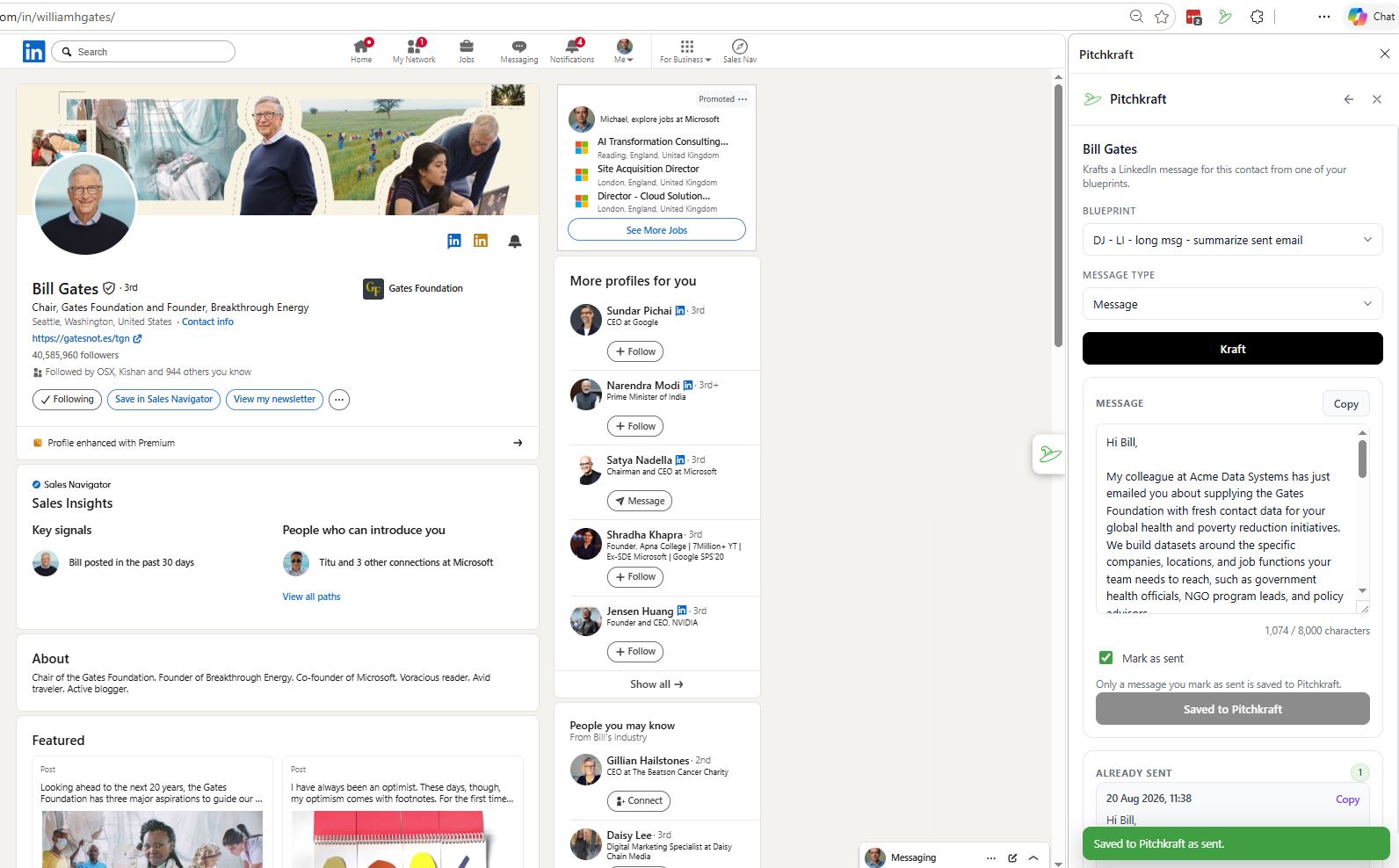
The extension turns normal LinkedIn research into a practical PitchKraft workflow.
The browser extension reads the relevant profile information and checks the person against your PitchKraft contacts.
PitchKraft identifies whether the person is already stored in one of your lists.
For a new contact, save their details into the appropriate list. For an existing contact, review any differences and update the information where necessary.
Generate and save a professional summary in seconds, with the click of a button, to save all available context about the prospect.
Select the Blueprint. PitchKraft creates a hyper-relevant message for that particular contact. Regenerate it or post it on LinkedIn. It saves within PitchKraft so you know what you have sent. it also saves replies.
Designed to assist your LinkedIn workflow, not automate LinkedIn
The PitchKraft browser extension is designed around user-initiated actions. It does not automatically browse LinkedIn profiles, automatically send connection requests or automatically send LinkedIn messages. These are things that get your LinkedIn account downgraded. The PitchKraft extension sits outside of LinkedIn, right next to it in the browser.
The PitchKraft browser extension is designed around user-initiated actions. It does not automatically browse LinkedIn profiles, automatically send connection requests or automatically send LinkedIn messages. These are things that get your LinkedIn account downgraded. The PitchKraft extension sits outside of LinkedIn, right next to it in the browser. Oh, and it works in all browsers but it’s best experienced in Chrome.
Get in touch
24/7/365 help desk support comes as standard. We know…this is not normal!

support@pitchkraft.ai

London: +44 (0) 207 660 4243
New York: +1 (0) 315 400 2402