How PitchKraft works

The personalization powerhouse

PitchKraft creates every hyper-personalized email with insights mined from live company data, industry signals, and reasons that the prospect and the prospect’s company would want to buy/engage/register. How your prospect already uses similar products/services, how it operates in that space, launches, company trends, events, funding rounds, regulatory changes, and market shifts, our PitchKraft AI email personalization weaves them seamlessly into your pitch so it reads like it was written minutes ago just for that very prospect, at that very moment, with a tone and language that the recipient responds to. PitchKraft also weaves in relevant information from your CRM notes and emails with the prospect, LinkedIn information and your company knowledge base. This is now way beyond human-style content writing. See our comparison of ten AI outreach tools to understand how research-led email writing differs from a general AI SDR workflow.

Real-world examples

Businesses are using PitchKraft to transform their outreach. Check out these case studies showing how to create successful email personalization campaigns.

Entertainment supplier

An entertainment company used PitchKraft to sweep public press releases, event calendars, and corporate social feeds across all its target organisations. The platform sourced upcoming staff‑appreciation days, awards galas, and celebrations for each prospect, then launched personalized marketing campaigns with tailored emails pitching their services, performers, VR zones, and headline bands for each occasion. The first wave produced discovery calls and a massive upswing in booking rates.

Well‑being platform

A well‑being software vendor used PitchKraft to power its automated sales outreach, scanning reviews, posts, and press releases across target organisations. When the engine detected company-wide chatter around "burn‑out" and "mental‑health," the outreach emails opened with those triggers and positioned the vendor's always‑on mindfulness app as the remedy. The campaign earned a 28% reply rate and 54 demo requests in its first week.

Sustainability consultancy

A sustainability advisory firm used PitchKraft to parse its prospects' ESG blogs, carbon‑report filings and regulatory calendars for its entire prospect universe. Identifying widespread pressure to meet new emissions‑reporting rules, the system tailored emails around that shared urgency, highlighted a rapid audit package and linked to a peer testimonial from the same region. The outreach generated enough discovery calls and consulting engagements to keep them busy for the next six months.

What does PitchKraft use to personalize?

Online research

Anything online related to your prospect and prospect's organization.

PitchKraft sources, summarizes and weaves in perfectly targeted information from online research, which creates an email blueprint binding your email theme to the prospect using a personalization hook.

As if by magic.

PitchKraft will find the key information that binds the email to the prospect, why the prospect organization wants to engage with your products and services. What’s in it for them. Nothing forced, actual hyper-relevance, written in your tone and maintaining your branding.

Prospect engagement

Your prospects' notes, email trails, LinkedIn information...
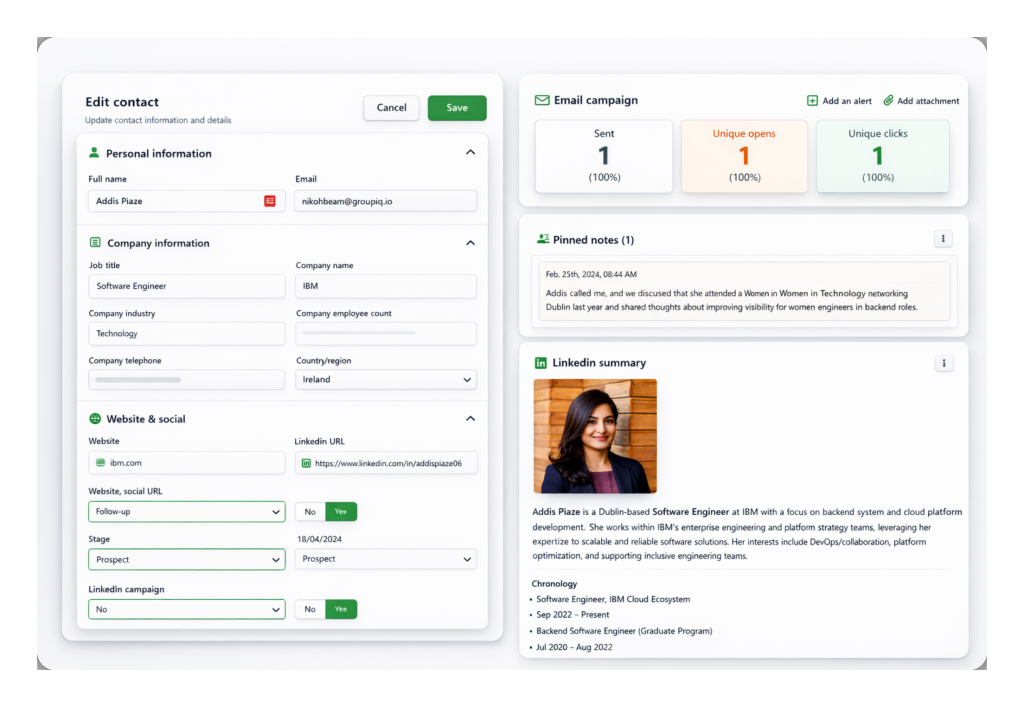
PitchKraft extracts pertinent, timely information from your prospects’ notes, previous mails to and from the prospect, and LinkedIn information to weave into the email.

Automatically reference your last communication, sale, the contact’s job change or promotion, or anything!

PitchKraft is trained on your company knowledge base

PitchKraft applies the most relevant information from your organization for each prospect.

PitchKraft surfaces the best of your case studies, testimonials, services, products, and marketing information according to the prospect’s organization, size, sector, location, and weaves that into each email as if human-researched and human-written.

Just add in all your relevant knowledge-base and let PitchKraft weave the most relevant information into each email, just as though one of your SDRs had spent the last couple of hours doing the research and perfectly integrating it into the email.

Role-aware tone

PitchKraft explicitly tailors messages based on a recipient's role and seniority to derive tone, a core element of successful data-driven marketing.

Apply changes in email tone, creativity, reasoning and others. Include email design presets and personalized infographics

A CFO receives concise ROI language, while a Head of Culture gets a warmer, emoji-sprinkled invite.

Date & season

Calendar‑aware messaging that acknowledges weekends, holidays and regional festivals.
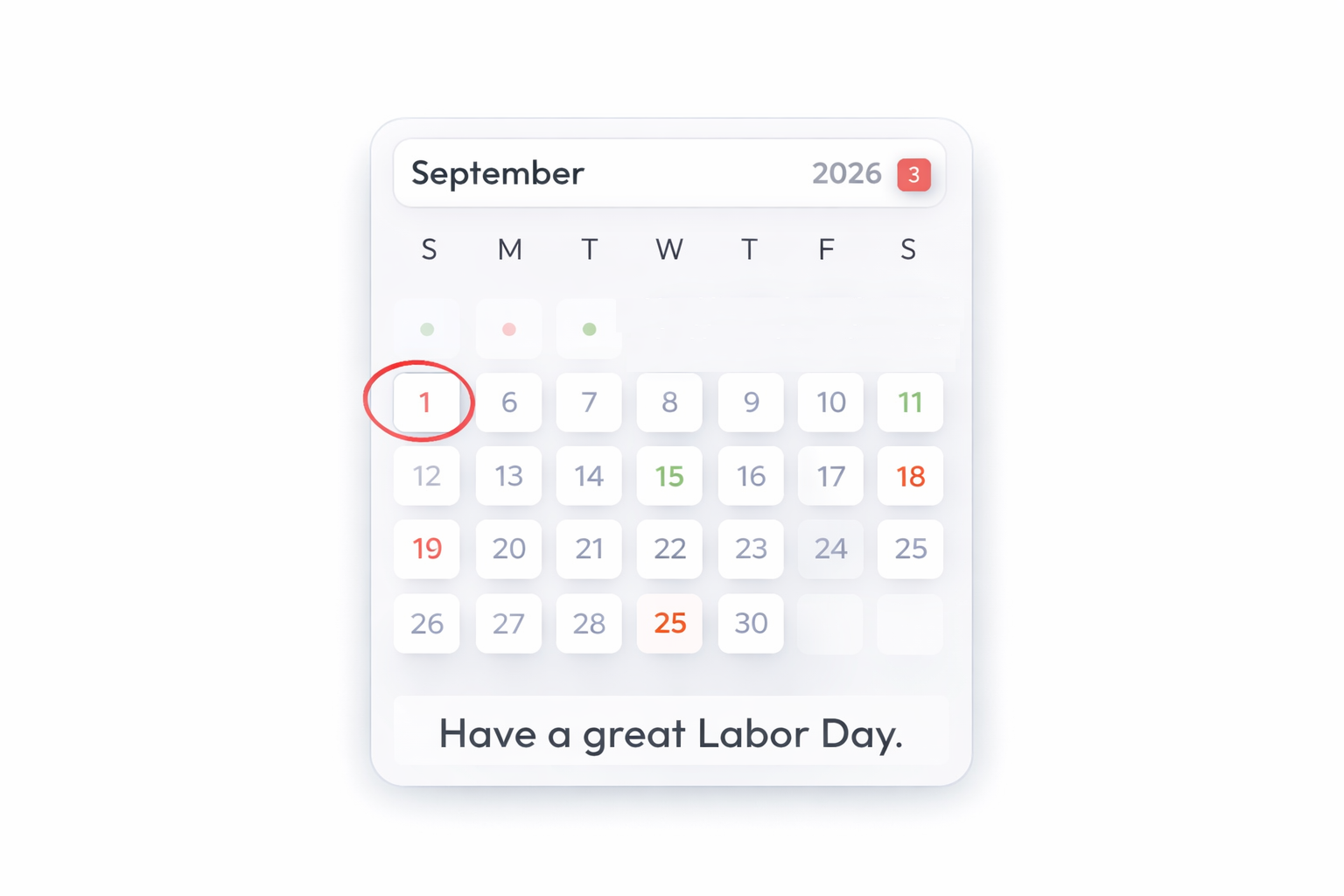
Make sure your prospects know this is a timely message. Include date-sensitive email greetings and farewells.

Friday? “Happy weekend!”14 July in Paris? “Bonne Fête Nationale 🇫🇷”Diwali in Mumbai? “शुभ दिवाली!” US Labor Day? “Have a great Labor Day.”

Geo salutation & gender

Honorifics and gender‑correct greetings that respect local norms.
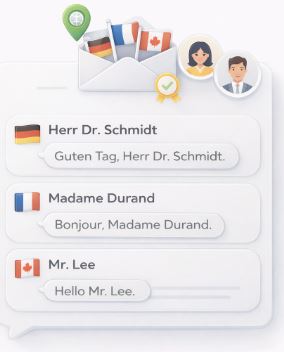
PitchKraft lets you used geo-related and regional naming for yoru prospects to give them maximum respect.

PitchKraft uses regional standards.

Any language, any script

PitchKraft supports all languages and nuanced differences.

From Arabic RTL layouts to Cantonese Hanzi, PitchKraft publishes perfectly accented copy that creates instant comprehension and trust.

Perfect translations automatically generated in any language.

Subject

Entirely unique and hyper-personalized email subjects.

PitchKraft automatically creates personalized email subject lines perfectly summarized and personalized from the email body.

PitchKraft gives you full control over the content of the subject.

Preheader

Hidden text shown in inbox previews beside the subject line.
Unique header added at the top of the email, using hidden HTML and CSS, making it visible in previews but invisible in the email body.

Pitckraft will generate the optimum pre-header or create your own.

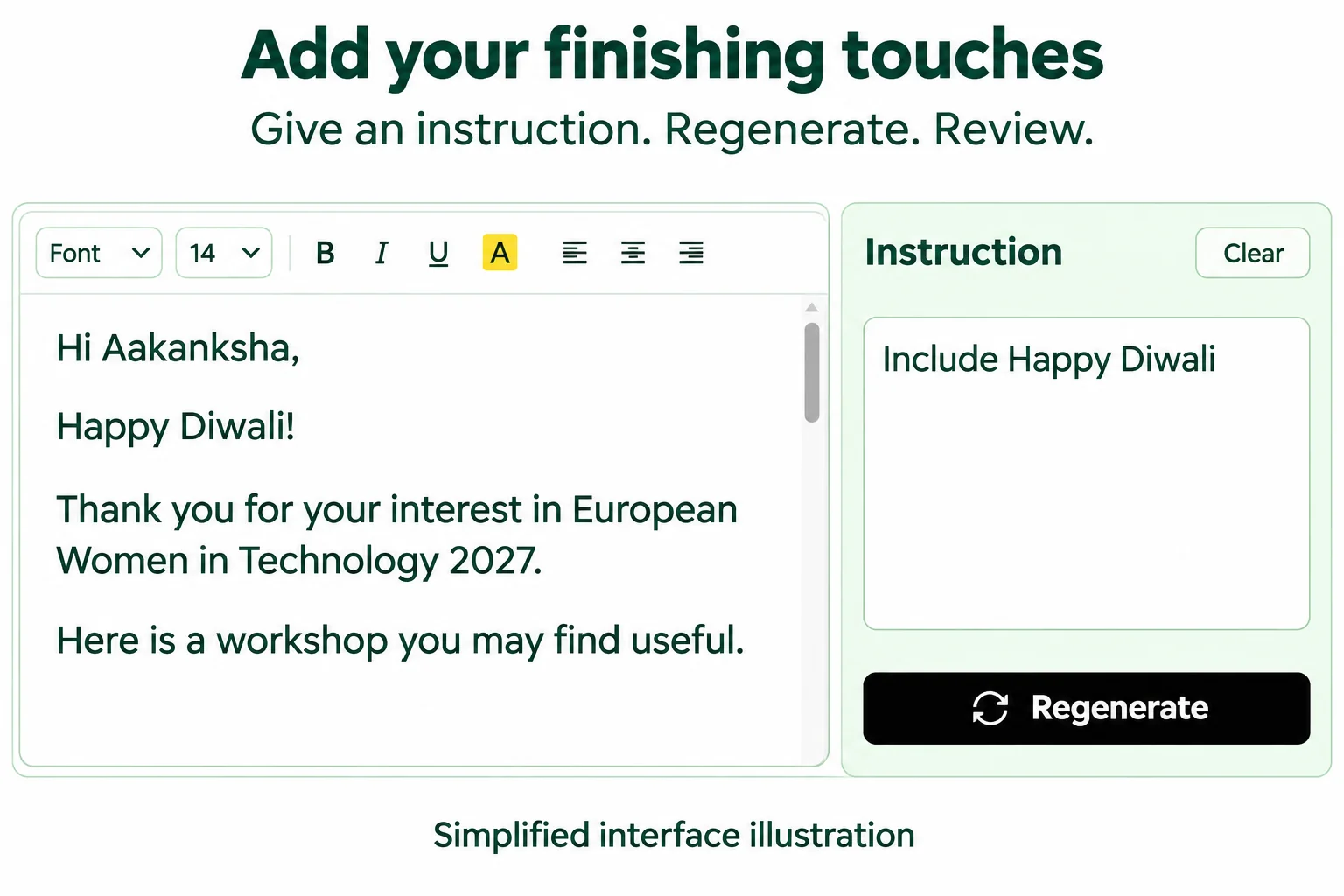
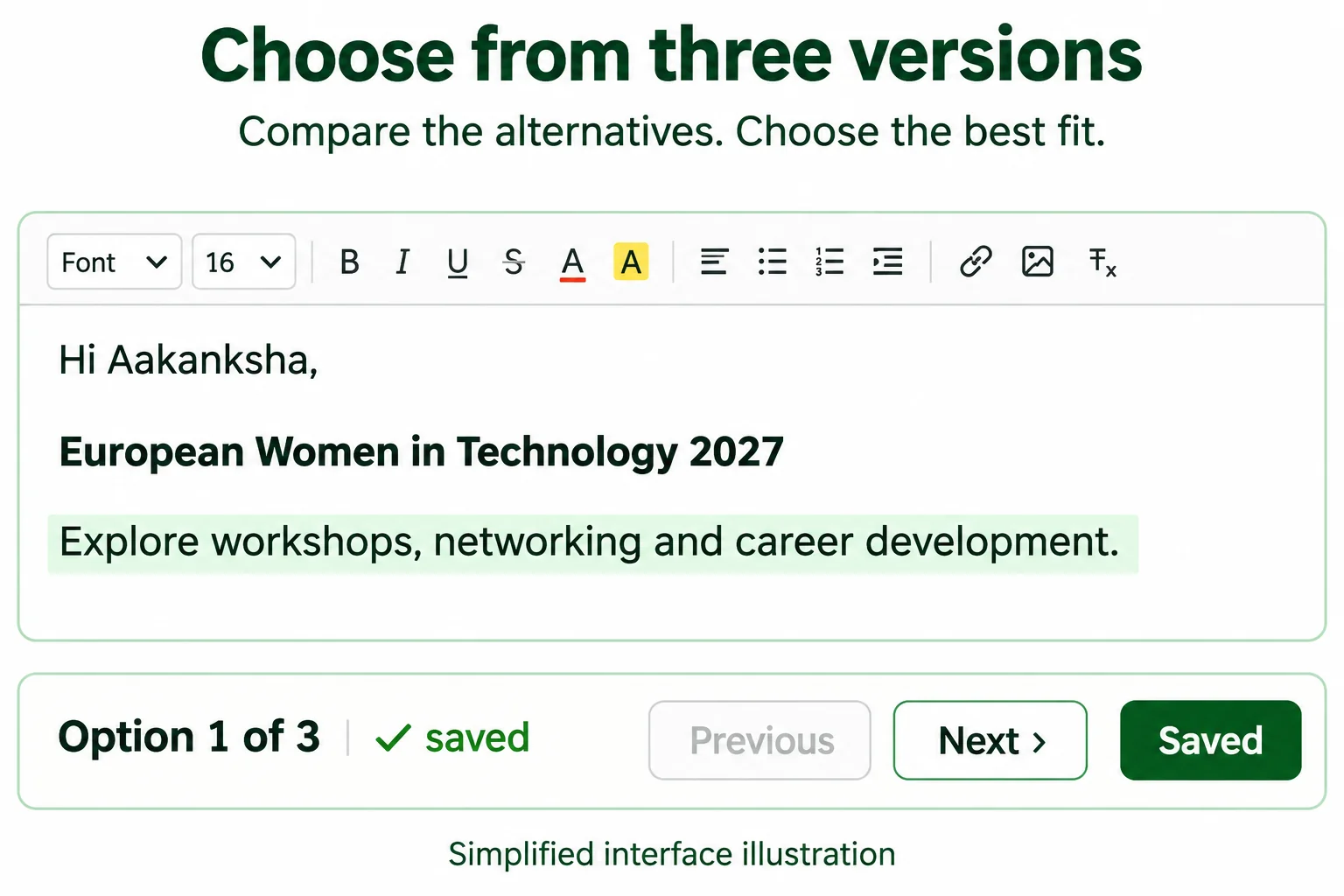
Choose up to five versions. Add your finishing touches.

PitchKraft keeps a human in the loop: AI does the research and personalisation, while you choose the version, guide the refinements and review the final message before it goes out.

Choose how many alternatives PitchKraft generates, up to five versions depending on your preference. Compare the options for transactional emails, LinkedIn messages and Kraft emails, then select the one that fits best. Want to fine-tune it? Add a specific instruction in the sidebar and regenerate that individual message. Adjust the tone, shorten the wording, change the emphasis or add a detail you want included.

Learn how to choose a version and refine a message →

PitchKraft message version selector with Previous and Next controls; page overlay shows Option 1 of 5.
Up to five versions, depending on your preference. Click to enlarge.
PitchKraft editor with an Include Happy Diwali instruction in the Instruction sidebar and a Regenerate button.
Add a specific instruction, regenerate and review the revised message. Click to enlarge.

From your first brief to the next conversation

A connected workflow for research, personalisation, review and follow-up.

YOUR MESSAGE

Build your Blueprint

Set the purpose, offer and tone of your outreach. Start with an existing email or develop a new brief, then give PitchKraft the product information and knowledge it needs to make the message relevant to each contact.

Define the message before you personalise itExplore Blueprints →
01
YOUR AUDIENCE

Bring in contacts and context

Import your contacts and add the information you already know. Use Data Integrity Check, Employment Match and Target Audience Match to examine record quality, current employment and relevance to your audience brief.

Better context. More relevant outreach.Explore contacts →
02
YOUR CAMPAIGN

Connect the audience to the offer

Bring a Blueprint and contact list together in a campaign. Keep each campaign focused on a clear audience and objective, so the research and personalisation support the conversation you want to start.

One audience. One clear purpose.Explore campaigns →
03
PERSONALISATION & EVIDENCE

Generate, check and refine

Create individual emails using web research, contact details, notes and your knowledge base. Review the insights behind each email and hover over personalised passages to inspect their sources before sending.

See why each message is relevantExplore email generation →
04
DELIVERY

Send when you are ready

Review your messages, then send or schedule them as part of your campaign. Keep control of the content and timing, with personalised outreach that reflects your offer and each recipient’s context.

Your message. Your timing.Explore sending →
05
LEARNING & FOLLOW-UP

Review engagement in context

Use campaign activity to understand what happened after sending and decide where to follow up. Treat opens and clicks as signals, alongside replies and the conversations they lead to, rather than proof of interest on their own.

Focus on meaningful conversationsExplore campaign activity →
06

Keep the conversation connected

Carry the context into follow-up emails, replies and LinkedIn messages. Build on what has already been said, so each touchpoint moves the conversation forward instead of repeating the first pitch.

Ready to get started?

Join thousands of professionals who save hours every week with AI-powered email personalization.

Let’s talk about your personalised outreach

Get in touch with our PitchKraft specialists to discuss your email personalisation and outreach requirements.

Send us a message

Phone Support