
Contacts CRM
CRM functionality
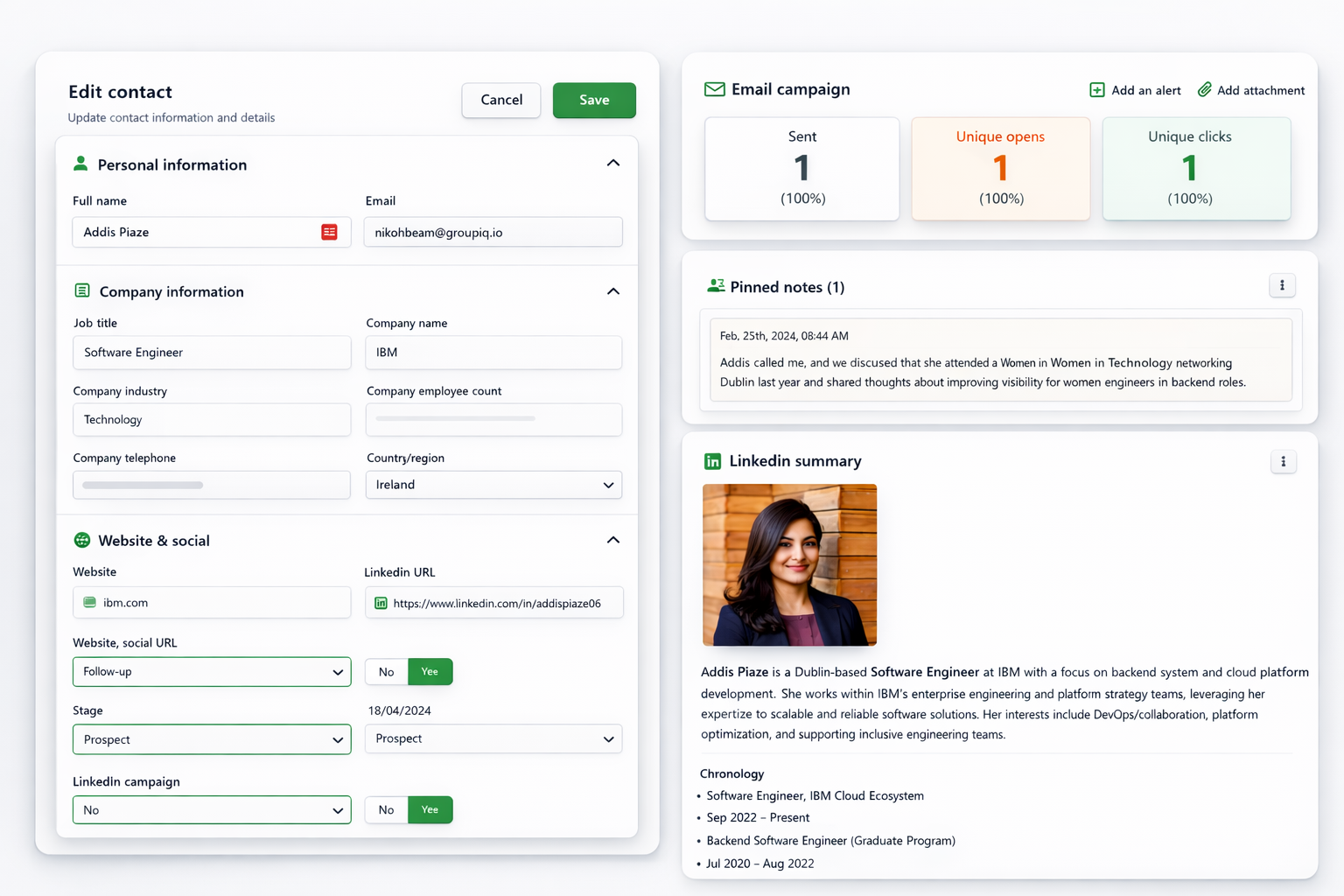
PitchKraft’s CRM tools let you progress work with individual contacts after a campaign. Set custom fields for your workflow, add notes and LinkedIn context, review emails and activity, and keep useful information together. Relevant notes and conversation sources can support later personalization when enabled in the Blueprint.
Tips and tricks
When creating custom fields, bear in mind that you can use them as filter criteria in saved views. You can then select those views in email campaigns.
Continue learning
← All Contacts guidesMore Contacts topics →Current app steps and related guidance
Open and edit a contact
From Contacts, open a list, view or segment and click the contact’s name. The record opens in a new browser tab. Use Profile to review Personal, Company and Ungrouped attributes. Edit the information you need, then choose Save; Cancel discards the edit.
Explore the profile
Personal information includes Information, Professional summary, Chronology, Education, Skills and Recent focus. Review the generation date on a professional summary before relying on it. Saved insights appear separately and include research dates and evidence.
Keep useful context
Use Add note or Add attachment at the top of the record. Mark a relevant note as Used for email personalization when you want it available to personalization. Pin useful notes or emails to keep them visible on the profile. Use Activity to filter All, Notes, Attachments, Emails or LinkedIn.
Read and compose email
The Emails tab has Inbox and Sent views. Select a thread to read the conversation. Compose opens an email editor with an optional Blueprint, a connected From mailbox, the contact as recipient, Cc/Bcc, a subject and rich text. Review recipients and content before Send. Generation and sending are separate actions.
Use the other tabs
Lists shows list membership. Q&A lets you ask questions using selected contact sources. Verification shows check results and supporting reasons. See the guides below for Q&A, insights and validity checks.
Let’s talk about your personalised outreach
Get in touch with our PitchKraft specialists to discuss your email personalisation and outreach requirements.
London
+44 207 660 4243
New York
+1 315 400 2402
Send us a message
