
Add a chatbot to your website
Bring AI-assisted website conversations and personal, live support together in your PitchKraft workspace.
Bring website conversations into PitchKraft
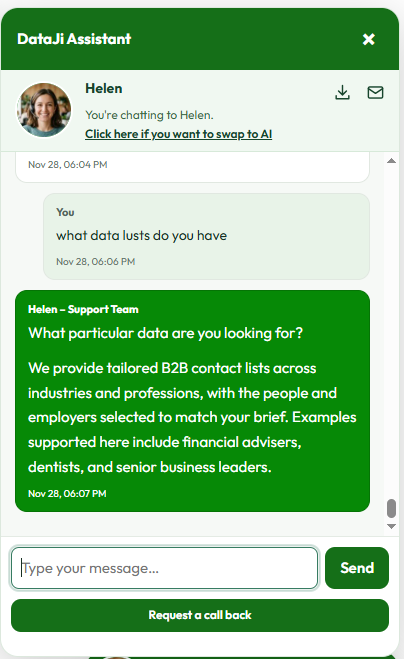
Add our AI and human chatbot to your website. Branded to your website. Answer visitor questions, chat with prospects using AI or your human agents. Manage conversations directly in PitchKraft.
Contact our team to arrange installation and connect your authorised workspace.
What you can do once connected
AI website assistant
Answer visitor questions using approved website knowledge and your configured AI provider and model.
Live chat and handover
Set availability, take over conversations from AI, reply personally and return conversations to AI. Visitors can switch between AI and available human support.
Manage named agents
Create, rename and delete agent profiles, upload or replace headshots, and select the agent displayed to visitors.
Conversation management
Review messages and visitor details, filter conversations, close or reopen cases, handle callback requests and provide downloadable or emailed transcripts.
AI assistance for agents
Generate answer prepares a suggested reply. Correct polishes spelling and grammar. Agents review, edit and send replies themselves.
Settings and alerts
Configure AI provider and model, approved knowledge pages and API request limits. Receive alerts and manage authorised websites where configured.
How to add a chatbot
- Contact PitchKraft. Provide your website URL, website platform, support requirements and the people who need access.
- Agree the installation. We review compatibility, installation and applicable service/API arrangements.
- Configure your chatbot. Agree branding, welcome message, approved knowledge pages, provider, model and request limits. API credentials are configured securely on the website.
- Connect your workspace. We arrange an authorised connection to your website’s inbox, scoped to your organisation.
- Test before going live. Check AI answers, human handover, callbacks, transcripts, agent photos and notifications. Confirm your privacy information and retention arrangements.
Using the Chat workspace
Once connected and authorised, open Chat in PitchKraft. Select your agent profile, set availability, review conversations, take over from AI and send replies. Administrators can manage the AI model for each connected website. API usage is subject to provider charges and configured limits.
